New features – MagiCAD 2026 UR-1 for BricsCAD
1. Support for BricsCAD V26
All
MagiCAD 2026 UR-1 is compatible with the new BricsCAD V26 version, as well as with the previous BricsCAD V25 and V24 versions.

2. New Accessories discipline in Product selection
Ventilation, Piping, Electrical
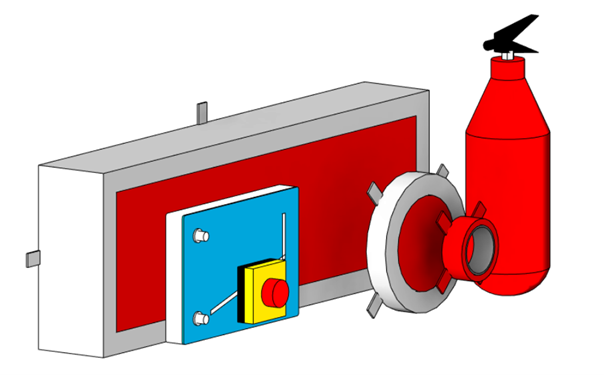
Products outside of existing MagiCAD product categories are sometimes needed in a design. These products are now available in a new Accessories panel in the ribbon and defined in a corresponding branch in the project.
The Accessories panel and branch include two product classes: Accessories and Fire seals. The Accessories product class includes products that can be used across multiple design disciplines and products without connectors, such as wireless transmitters or fire extinguishers. The Fire seals product class includes fire protection components, such as fire cuffs and transits. The new product classes enable more detailed design and more accurate quantity lists.
3. Automatic sorting of reports
Ventilation, Piping, Electrical
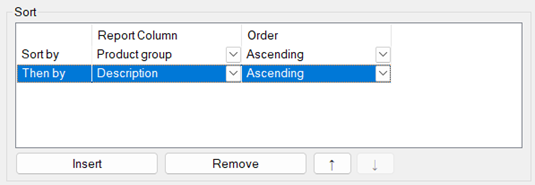
You can now define sorting rules for reports to automatically organize the report data according to your preferences. The created sorting rules are also used when updating report blocks in drawings. Sorting rules allow you to have better control over reports and help highlight relevant information.
4. Improvements to Change Properties tool
Ventilation, Piping, Electrical
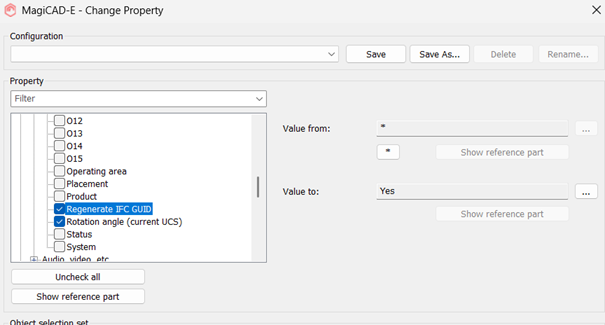
Improvements to the Change Properties tool make it easier to change the rotation of dimension texts and to regenerate IFC GUID identifiers.
It is now possible to change the rotation angle of multiple dimension texts simultaneously with Change Properties. The rotation is changed according to the currently active user coordinate system.
Change Properties also allows you to regenerate IFC GUID identifiers, for example, if an object is changed so much that it should be considered as a new item in the model.
5. New properties for electrical object types
Electrical
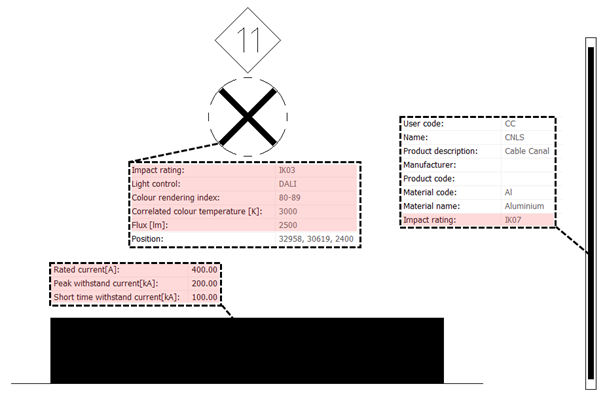
Various new properties have been added for different object types in MagiCAD Electrical. The new properties help support different national standards and add information to IFC property sets, bill of materials lists and dimension texts.
- All object types, except for switchboards, have an Impact rating property, which can be included in IFC export and reports
- Switchboards include Rated current, Peak withstand current (Ipk) and Short time withstand current (Icw) parameters
- Luminaires include Correlated color temperature (CCT), Color rendering index (CRI) and Flux properties and a new text field that can be used to indicate their control method
In addition, you can now assign a default status for devices, which will be applied automatically. The status can be changed during device installation if needed.
6. Usability improvements to Electrical module
Electrical
Multiple small improvements improve the general user experience of the MagiCAD Electrical module. These improvements include:
- The possibility to set owned cables from one cable packet to other cable packets with Change Properties
- A new Line weight column in layer definitions list, making it easier to view and modify line weights
- New Check all and Check none buttons for symbol series in symbol selection
In addition, object group handling has been improved by disabling cable and segment connection functions that could break the object groups. This allows you to work with object groups without worry of using the wrong function.

7. Check flow damper safety distances
Ventilation
Flow dampers are an essential part of ventilation networks, as they directly affect user comfort and energy efficiency. Dampers usually need undisturbed airflow to work properly, which means that their placement requires detailed consideration to avoid errors that may affect their performance. Since even minor adjustments to network segments can affect damper distances, checking damper placements for a large network can be time consuming work.
The Balancing and Extended flow analysis calculations in MagiCAD now indicate whether damper placements meet safety distance requirements. The checking is done according to user defined distance requirements.

8. Flow calculation based on heat loss per meter
Ventilation, Piping
It is now possible to define a constant Heat loss per meter value for the flow calculation of domestic hot water circulation systems. The value is applied in calculation to all pipes where the water circulates. The new option enables calculation of required circulation flow at the feed point of the system based on the temperature difference between hot and circulation water and the total heat loss in the circulation network.

9. Calculation support for air handling units with constant flow fans
Ventilation, Piping
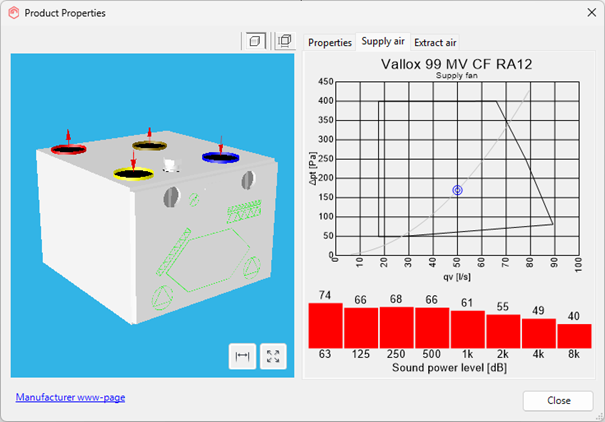
MagiCAD ventilation calculation now supports air handling units with constant flow fans. Constant flow technology makes it possible to compensate for pressure differences and maintain balanced airflows in different conditions.
The taller the building or the windier the location, the greater the pressure difference caused by wind and temperature differences. Fluctuations in a home’s internal pressure can cause various problems for both residents and the building itself, including window fogging, pollutants entering the indoor air and moisture accumulating in the building structures. Constant flow fans adjust fan speed according to pressure and help maintain a balanced building pressure ratio.
10. Usability improvements to Ventilation and Piping modules
Ventilation, Piping
Several improvements in the Ventilation and Piping modules improve the user experience and streamline the design process.
- Duct and pipe drawing: Delays during drawing have been reduced by optimizing the information update process
- Underfloor heating: Dividing rooms into sections using polylines is now easier
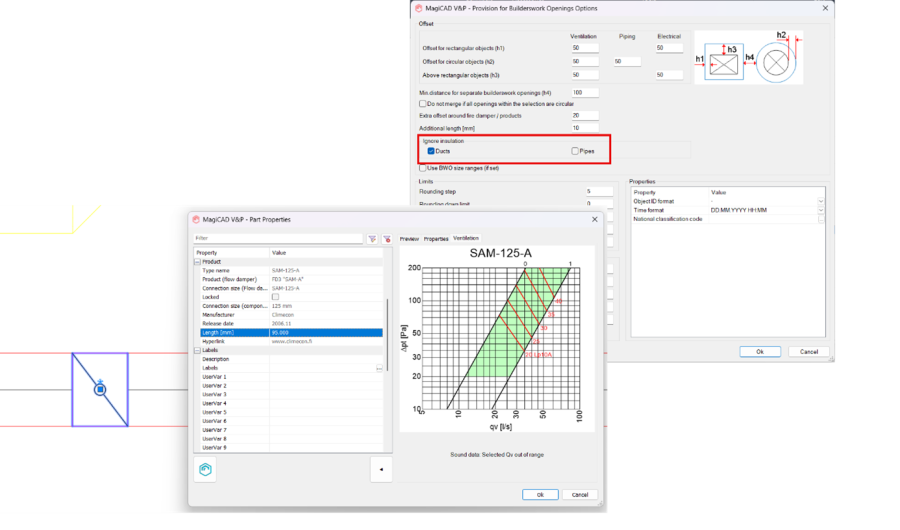
- Builderswork openings: Possibility to ignore insulation separately for ducts and pipes
- Duct and pipe components: Length of duct and pipe components is now available as a property
11. Exclude empty rows in Schematics reports
Schematics
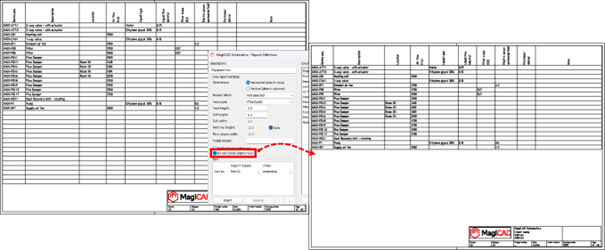
It is now possible to exclude empty rows from reports in MagiCAD Schematics. This helps produce cleaner and easier to read reports.